WRITING
My Checker Gave 102 Green Ticks. You Opened the File to a Screen Full of Errors

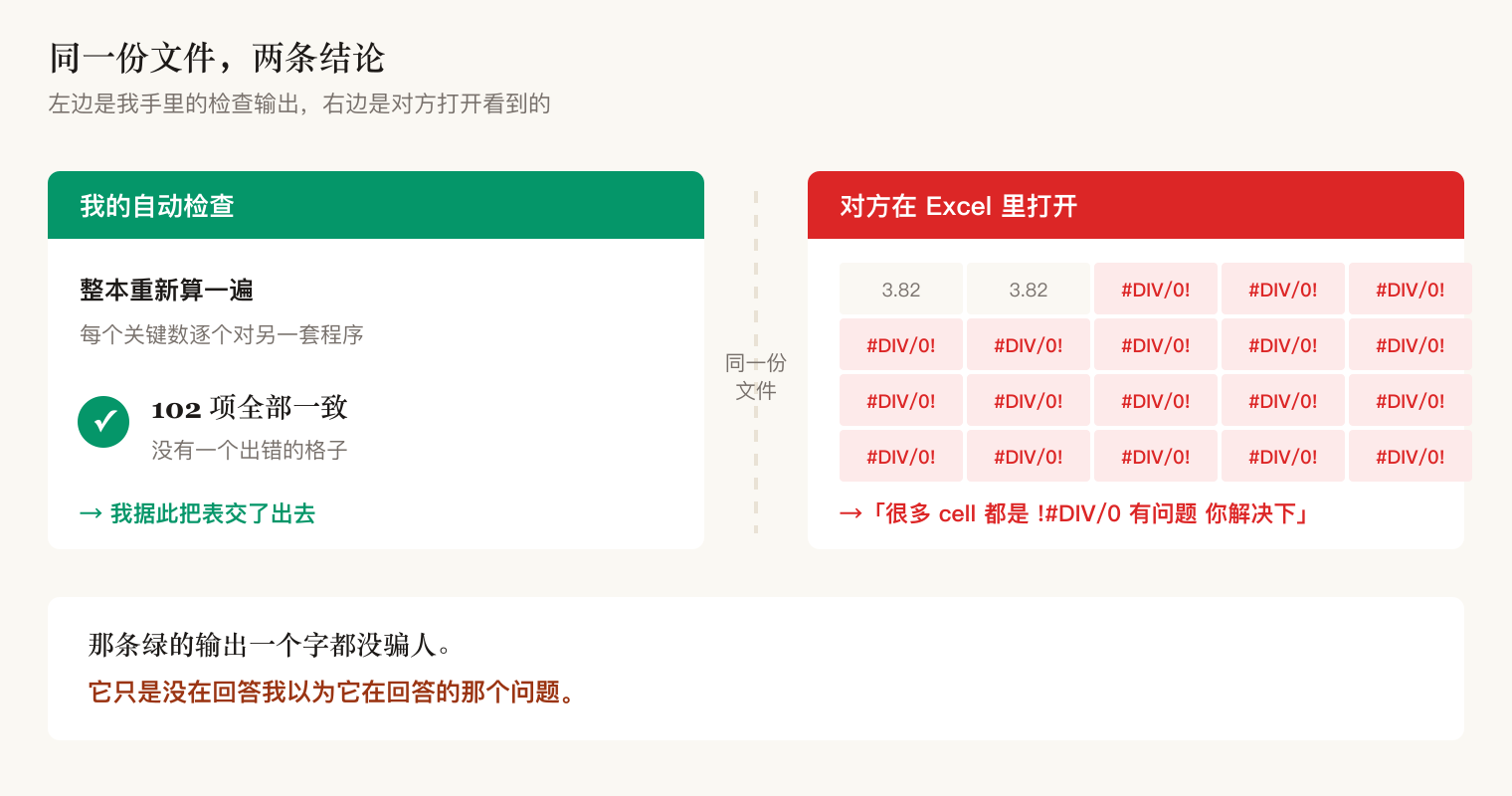
I shipped the file with a note: machine-checked, 102 values verified. They opened it to a screen full of errors.
My previous post argued that producing output every run does not mean the output is right. This one is the layer underneath, and it is harder to catch:
I did not just have output. I had an automated check, and the check was green.
1. The green line, and the moment they opened the file
The deliverable was a hydrology calculation workbook. Fourteen sheets, all live formulas — change one parameter and the whole book recomputes, eight charts redraw. Precisely because it moves, I did not trust my eyes.
So I built it an automated check: recompute the entire workbook with a free spreadsheet program, then compare every key number against what my separate engine computes independently.
That day it printed: 102 values all match, not a single error cell.
I shipped the file with that note attached.
The first thing they sent back:
lots of cells say #DIV/0, something's wrong, fix it
Not a few cells. Everything from the middle sheet onward.
That green line was not lying to me. It just was not answering the question I assumed it was answering.
2. The nickname I gave a cell collided with another cell's address
Every cell in a spreadsheet has an address. The one in column X, row 1, is called X1.
Writing raw addresses in formulas is unreadable, so spreadsheets let you give a cell a nickname. Call one cell "left offset" and write "left offset" in the formula. Far clearer.
I took the lazy route and used X0, X1, Z0, Z1 as the nicknames.
The problem: the nickname X1 happens to look exactly like an address.
Excel's rule is that a nickname may not look like an address. It does not warn you and it does not fail. It simply reads X1 in the formula as that address, and goes to fetch that cell. That cell is empty.
So the channel geometry came out as zeros, the sample count for the curve fit became zero, a division then had to divide zero by zero, and the error propagated all the way to the last sheet. That is where their screen full of errors came from.
Then why was my check green?
Because the free spreadsheet program I verified with has looser naming rules than Excel. It accepted the nickname, computed what I meant, and all 102 numbers matched.
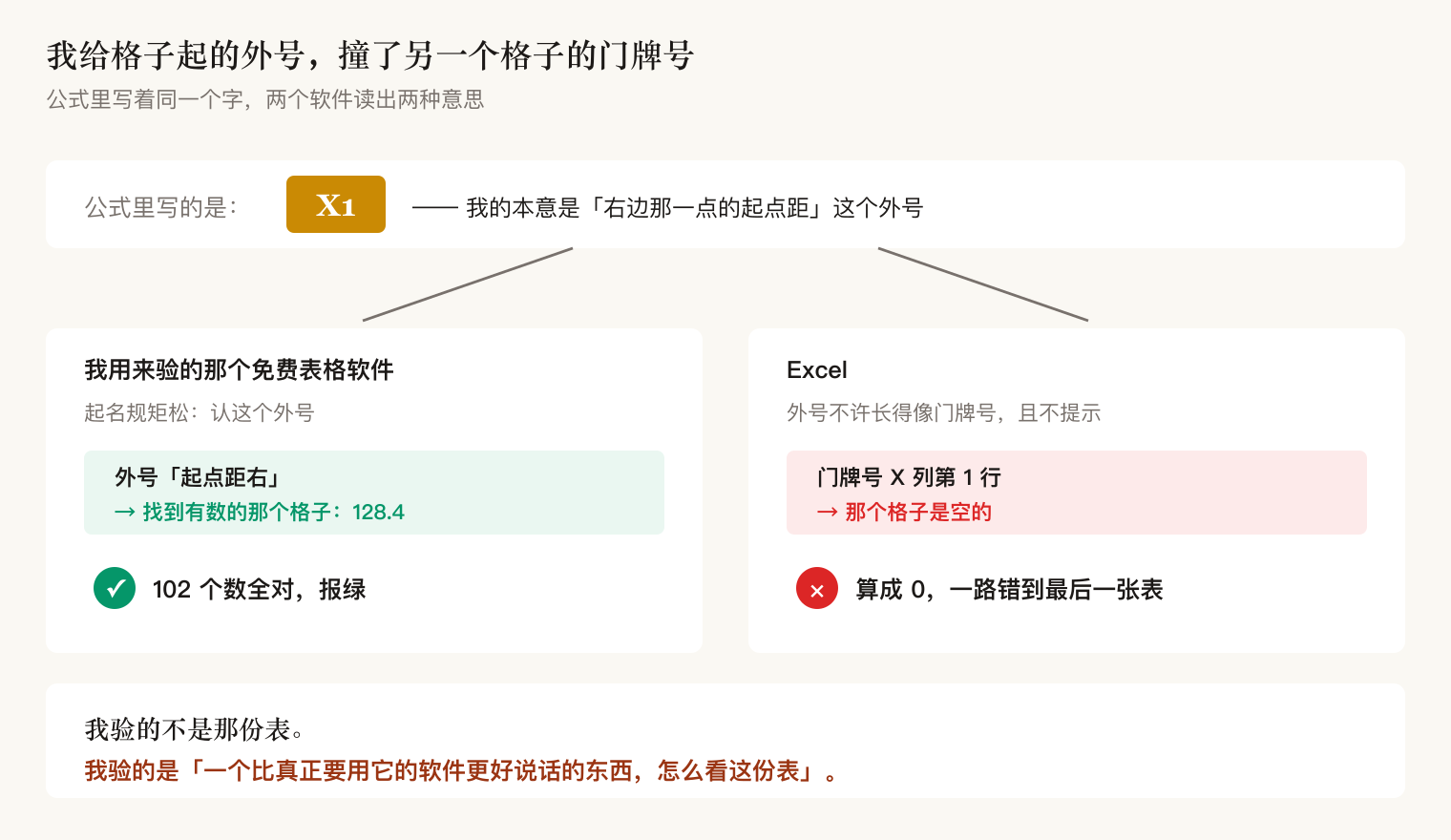
I had not verified that file. I had verified how something more agreeable than the real consumer reads that file.
3. Same shape, four times in two days
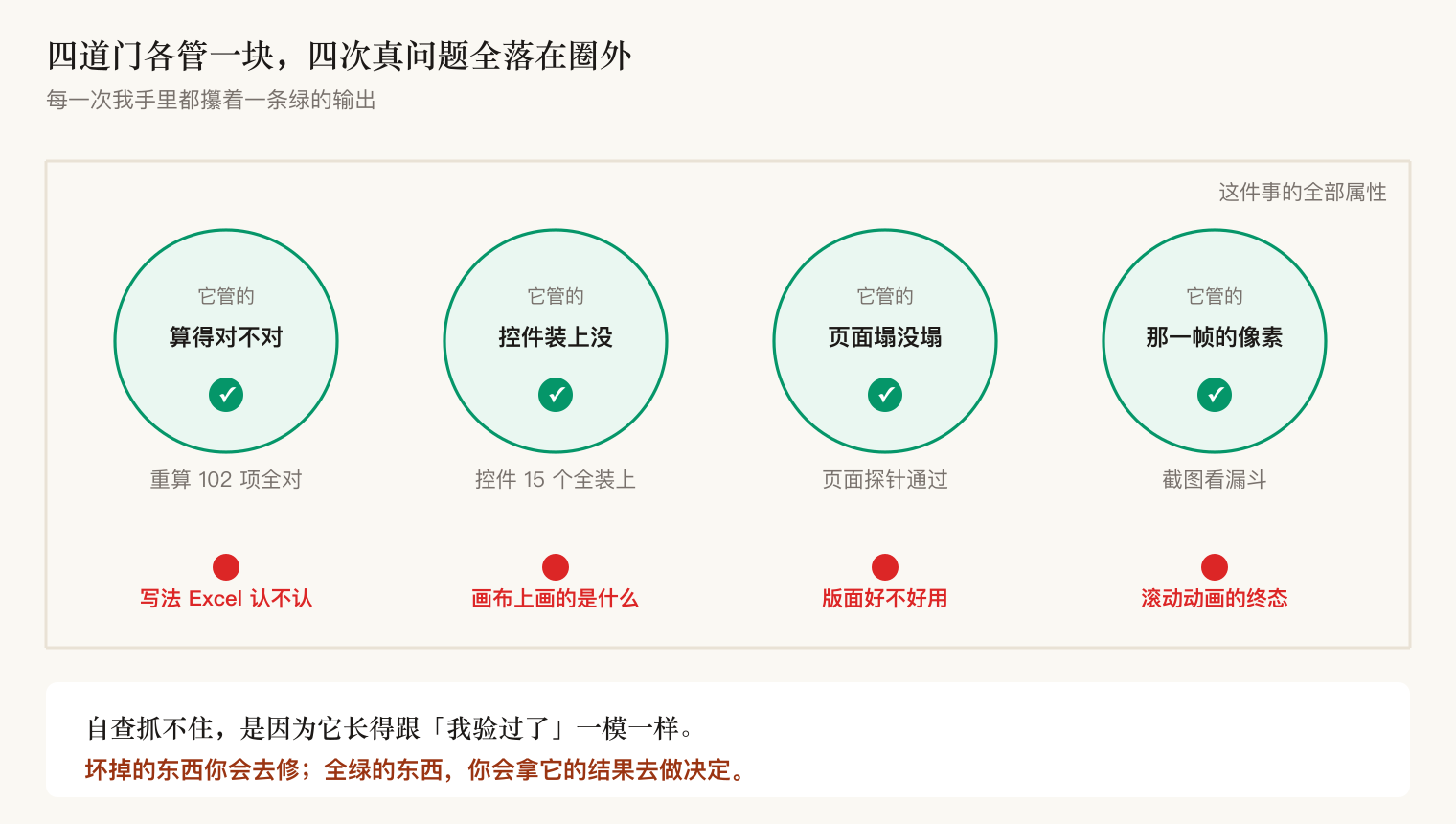
This was not one lapse. Counting back, the same mistake wore four different faces in two days.
| The check I called green | What it actually covers | Where the real problem was |
|---|---|---|
| Recompute, 102 values match | Whether the arithmetic is right | Whether Excel accepts the notation — nickname collided with an address, screen full of errors |
| 15 of 15 page widgets mounted | Whether widgets attached | What got painted on the canvas — my hand-rolled cross-section had no axes, water and land the same color |
| Layout probe passed (not blank, no overflow, not truncated) | Whether the page collapsed | Whether the layout is usable — text column too narrow, one label clipped in half |
| Screenshot of the filter funnel: "nothing eliminated" | The pixels in that one frame | The end state of a scroll-triggered animation — it never started; the real result was in the page structure |
The common thread is one sentence:
Every single time I was holding a green line. That is why self-review cannot catch it — it looks exactly like "I verified this."
Something visibly broken, you fix. Something all green, you take its output and make decisions on it. The second is far more dangerous.
4. Make each check state what it does not cover, at the moment it reports green
The fix is not "be more careful next time." That is just billing the problem to a future version of me.
First: any check, when it reports green, must also state its coverage boundary.
I changed what it prints. It now says:
✅ 116 values match the engine, no error cells
ℹ️  Coverage boundary: this gate only answers "is the arithmetic right".
    It does NOT cover "will Excel accept this notation" —
    that is a separate static check. Both must run, or the green is fake.
Those five lines are themselves the argument: "I passed" and "you can relax now" are not the same claim, and almost every check only says the first half.

Second: one thing needs at least two checks that do not overlap.
Arithmetic goes to the recompute. Whether Excel accepts the notation can never come out of a recompute, so it has to be caught before saving: scan every nickname, and refuse to write the file if one looks like an address.
Writing the guard is not the end. I put names like X1 and Z1 back in and ran it for real, confirming they were blocked and no file was written — a guard you have not verified in reverse does not count.
5. One question you can ask yourself anywhere
You do not need to remember the four cases. Just this:
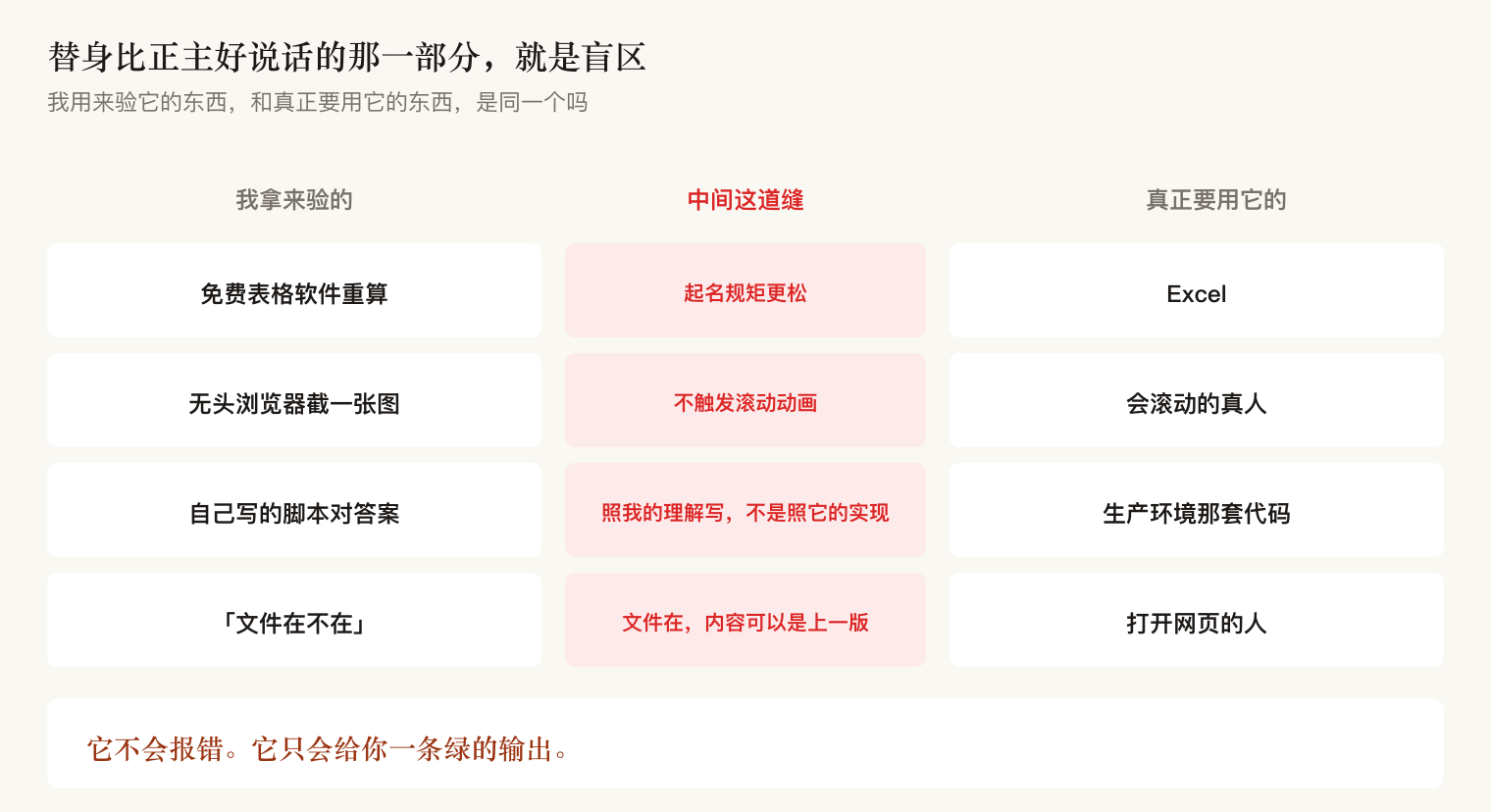
Is the thing I am verifying with the same as the thing that will actually use it?
If not, you are verifying a stand-in. And wherever the stand-in is more agreeable than the real consumer, that is your blind spot — it will not raise an error. It will hand you a green line.
The same shape shows up wearing many outfits:
| What I verify with | What actually consumes it | Where the stand-in is looser |
|---|---|---|
| A free spreadsheet program recomputing | Excel | Looser naming rules |
| A headless browser taking one screenshot | A human who scrolls | Never fires scroll animations |
| A script I wrote to check the answers | The production code path | Written from my understanding, not its implementation |
| "Does the file exist" as a deploy check | Whoever opens the page | The file exists; the contents can be last week's |
The line I keep in front of me:
A check reporting green only tells you that check passed. It does not tell you the thing is right.